Every KPI linked to the approved data behind it
Define KPIs in the KPI Platform and link each one to the Normly table that holds its data. Rows in that table are validated and approved before they count. Use one product or both, with consulting from the people who built them.
How Matso compares
Excel / SharePoint lists
Familiar and flexible. Column rules, approval and an owner per list are yours to set up and maintain, file by file.
Power Apps
You can build data entry with an approval flow, but you build and maintain that app yourself.
Power BI scorecards
Track KPI values from your reports. They do not manage or approve the reference data those reports use.
Matso
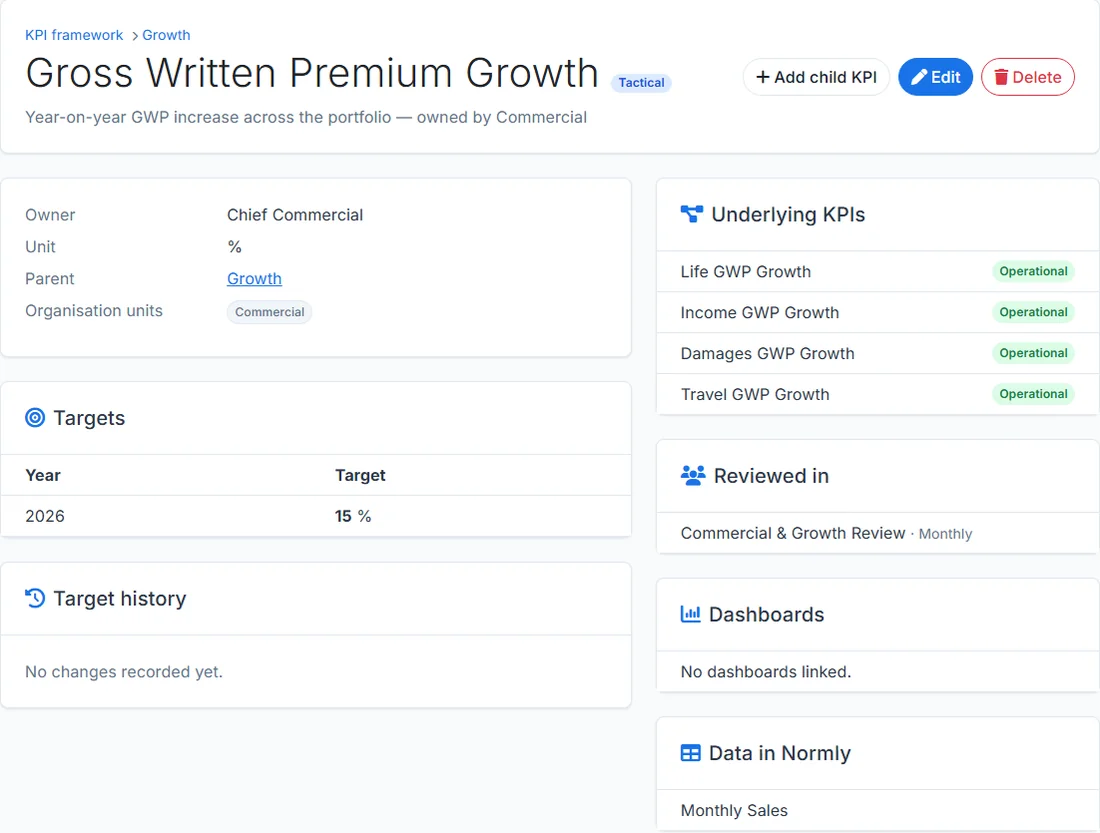
Normly tables come with typed columns, rules per column and approval built in. The KPI Platform links each KPI to the Normly table that holds its data.
What Matso offers
Two products that work on their own and fit together, plus hands-on help to put them to work.
Normly
Reference data management
A workspace for entering, validating and approving business data. Teams define their own tables, set rules per column and review submissions before they count.
KPI Platform
KPI governance
Cascade strategy into tactical and operational KPIs, make every KPI owned, and connect it to the meetings and dashboards where it is reviewed.
Consulting
Data and BI expertise
Help with data models, KPI frameworks, reporting and the governance around them, whether or not you use our software.
Better together
Each product can be taken on its own. With both, a KPI points to the Normly table that holds its data, so the definition and the approved numbers stay connected.
See pricing- One account, one company workspace, one login
- Switch between products from the same sidebar
- Link KPIs to the reference tables that feed them
- Start with one product and add the other later
Try it in your browser
The demo opens a private sandbox with example data for both products. No account needed.